
Ultimate $TON Staking Walkthrough: Complete Guide with Kucoin and Tonkeeper Wallet

Are you interested in learning how to stake TON? Staking has become a popular method for cryptocurrency investors to earn passive income. In the world of digital assets, staking TON involves taking part in the network's Proof-of-Stake system and receiving rewards for validating transactions.
Staking TON offers several advantages, including the chance to earn more TON as a reward for helping to secure the network. By staking your TON, you can contribute to the blockchain's security and decentralization while receiving incentives in return.
This blog post will demonstrate exactly how to stake TON using your Tonkeeper wallet. Even if you're new to staking crypto, this guide will simplify the process with step-by-step instructions.
We'll cover everything you need to know, from selecting a validator to staking your TON. Get ready to start earning passive income with TON!
Set Up Your Tonkeeper Wallet
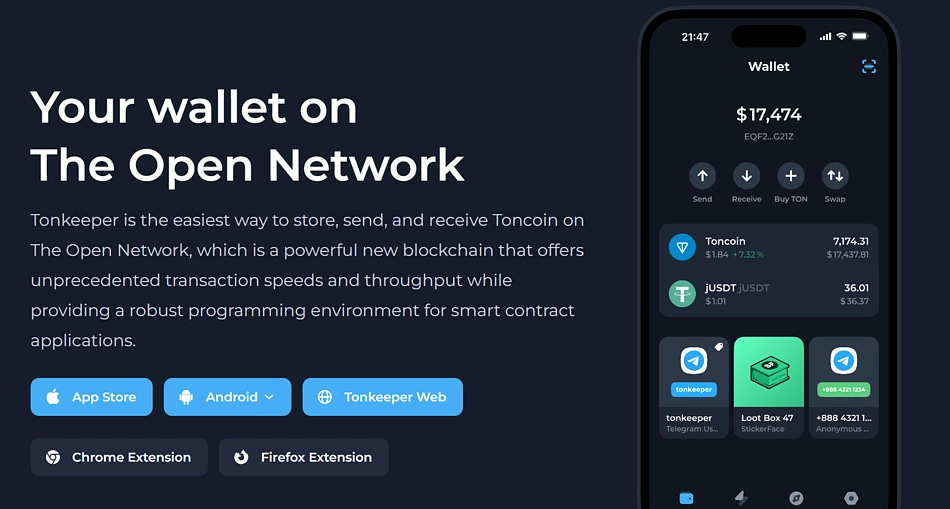
Tonkeeper cannot be integrated into Telegram, but it allows users to execute activities on the TON network. Tonkeeper is non-custodial, letting users hold custody of their wallet keys. It also offers a wider range of uses for the TON network, including staking services and connection to decentralized applications.
The Tonkeeper wallet is available for Android OS and iOS. Chrome and Firefox extensions are also available for desktop devices.
Now, let’s look at how to set up your Tonkeeper Wallet:
Visit the TON wallet page, select Tonkeeper, and proceed to install the version for your device.
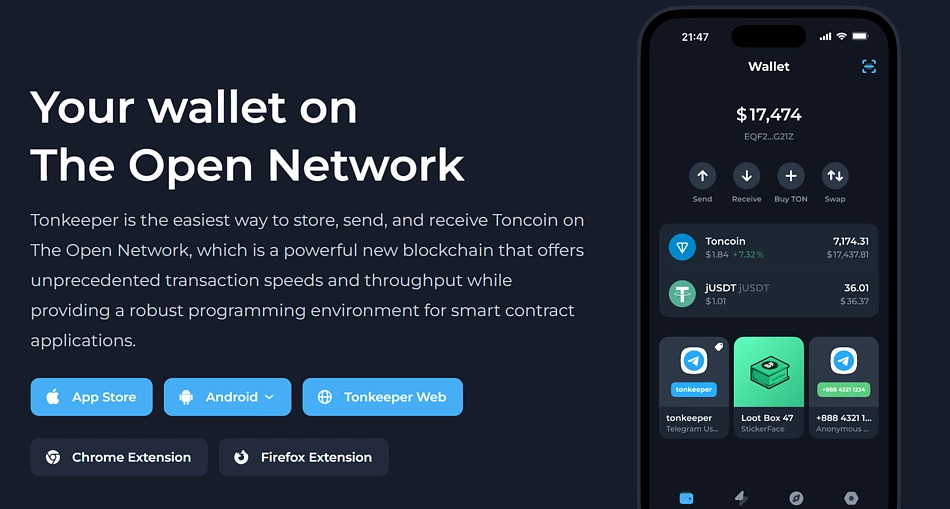
Tonkeeper Launch and set up your wallet. Ensure to write down and safely store your passphrase and choose a password for your wallet. Your created wallet is now ready for use.
You can now send and receive TON and other supported assets through your Tonkeeper wallet.
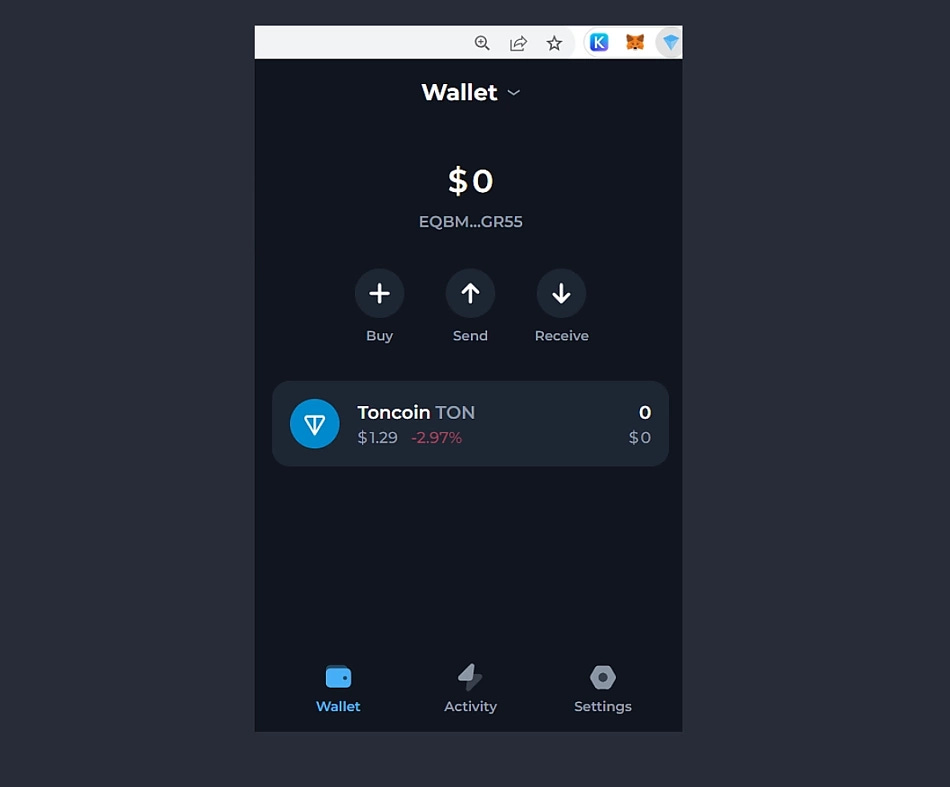
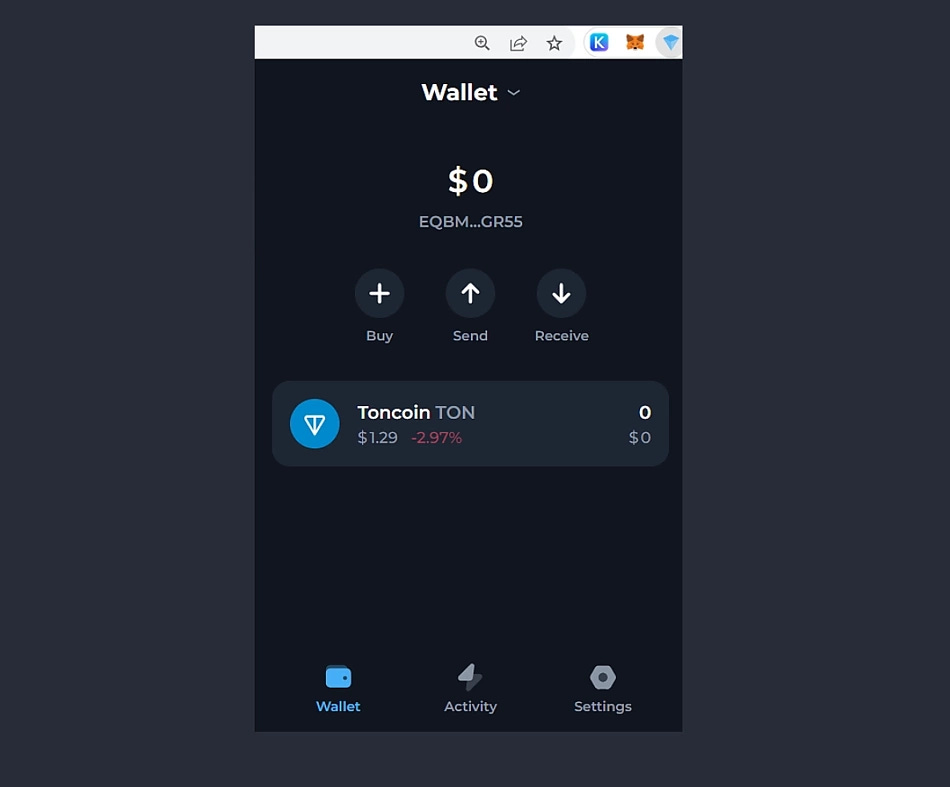
Note: While there are a few other wallets that support TON, I recommend using Tonkeeper because it allows you to stake TON directly from your wallet.
Buy TON with crypto on the KuCoin Spot Market
Currently, TON has not been listed on major exchanges like Binance or Coinbase. So in this guide, I will instruct you on Kucoin. If you don't have an account yet, please register using this link. Here's how to buy:
Buy stablecoins such as USDT on KuCoin using the Fast Trade service, P2P, or through third-party sellers. Alternatively, transfer your current crypto holdings from another wallet or trading platform to KuCoin. Make sure your blockchain network is correct, since depositing crypto to the wrong address may result in loss of assets.
Transfer your crypto to a KuCoin Trading Account. Find your desired Ton (TON) trading pairs in the KuCoin spot market. Place an order to exchange your existing crypto for Ton (TON).
Tip: KuCoin offers a variety of order types to buy Ton (TON) in the spot market, such as market orders for instant purchases and limit orders for buying crypto at a specified price. For more information about order types on KuCoin, click here.As soon as your order is successfully executed, you will be able to see your available Ton (TON) in your Trading Account.
Withdraw TON on the KuCoin App
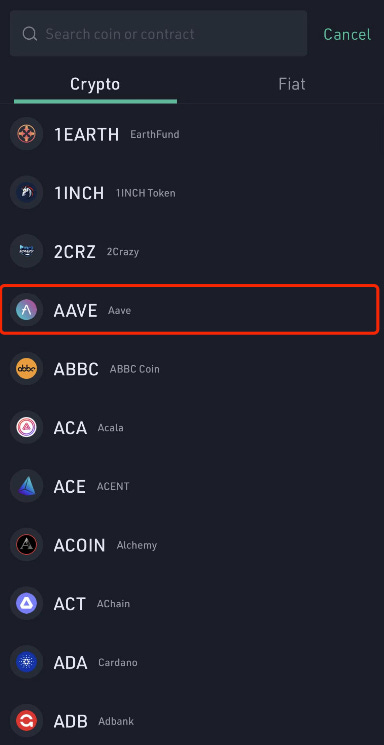
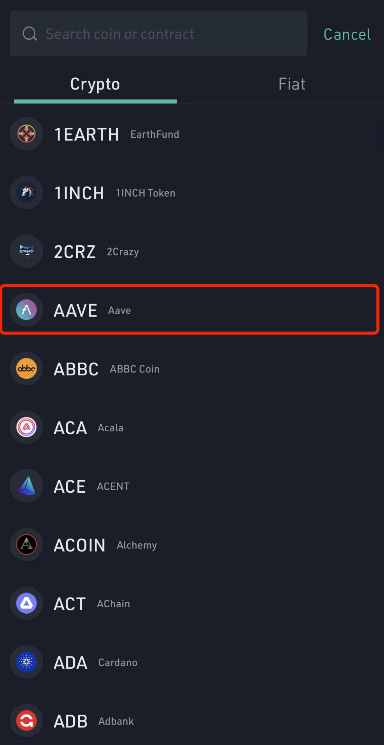
In this tutorial, I will be using the AAVE token. You can do the same with the TON token.
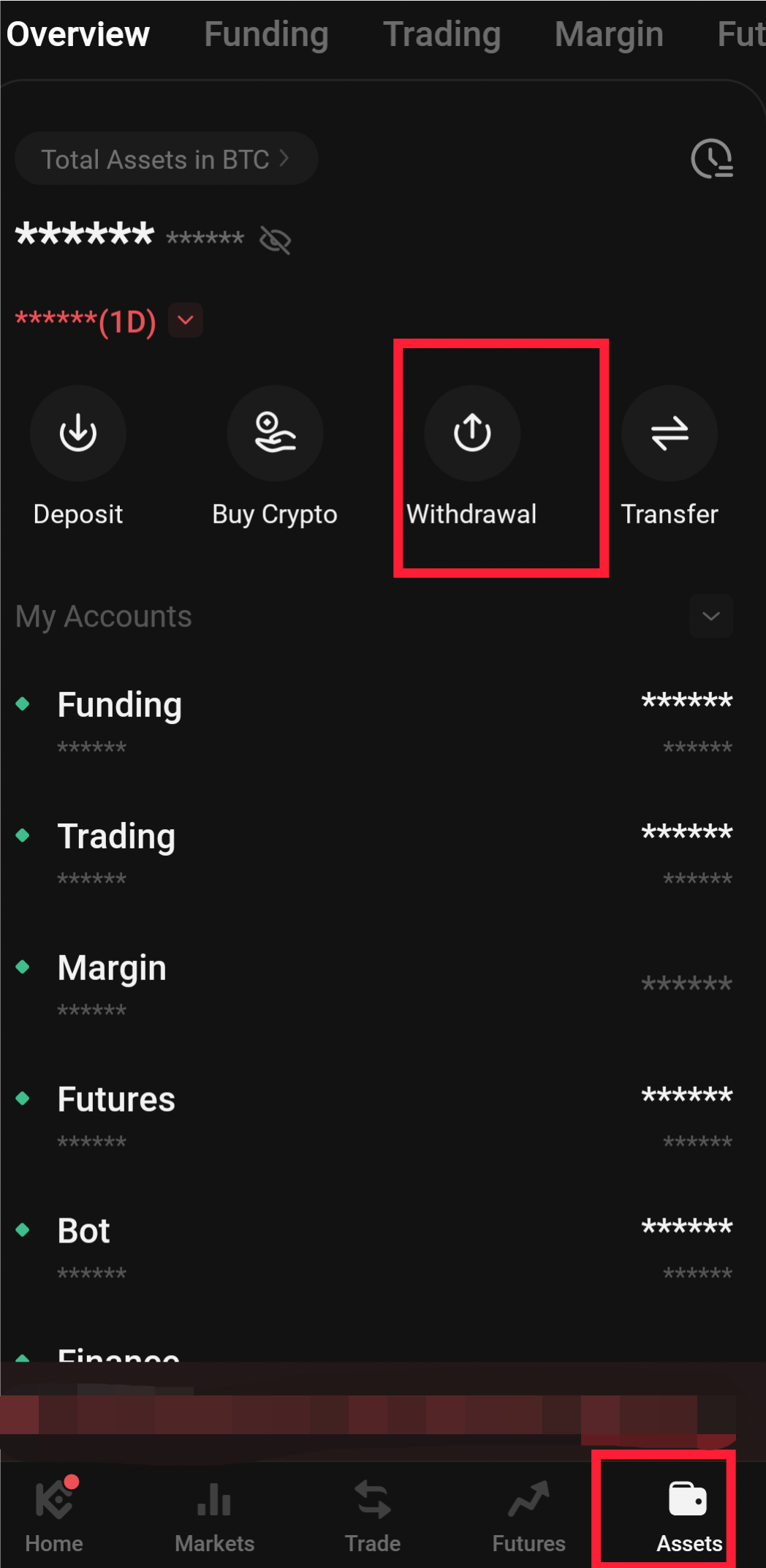
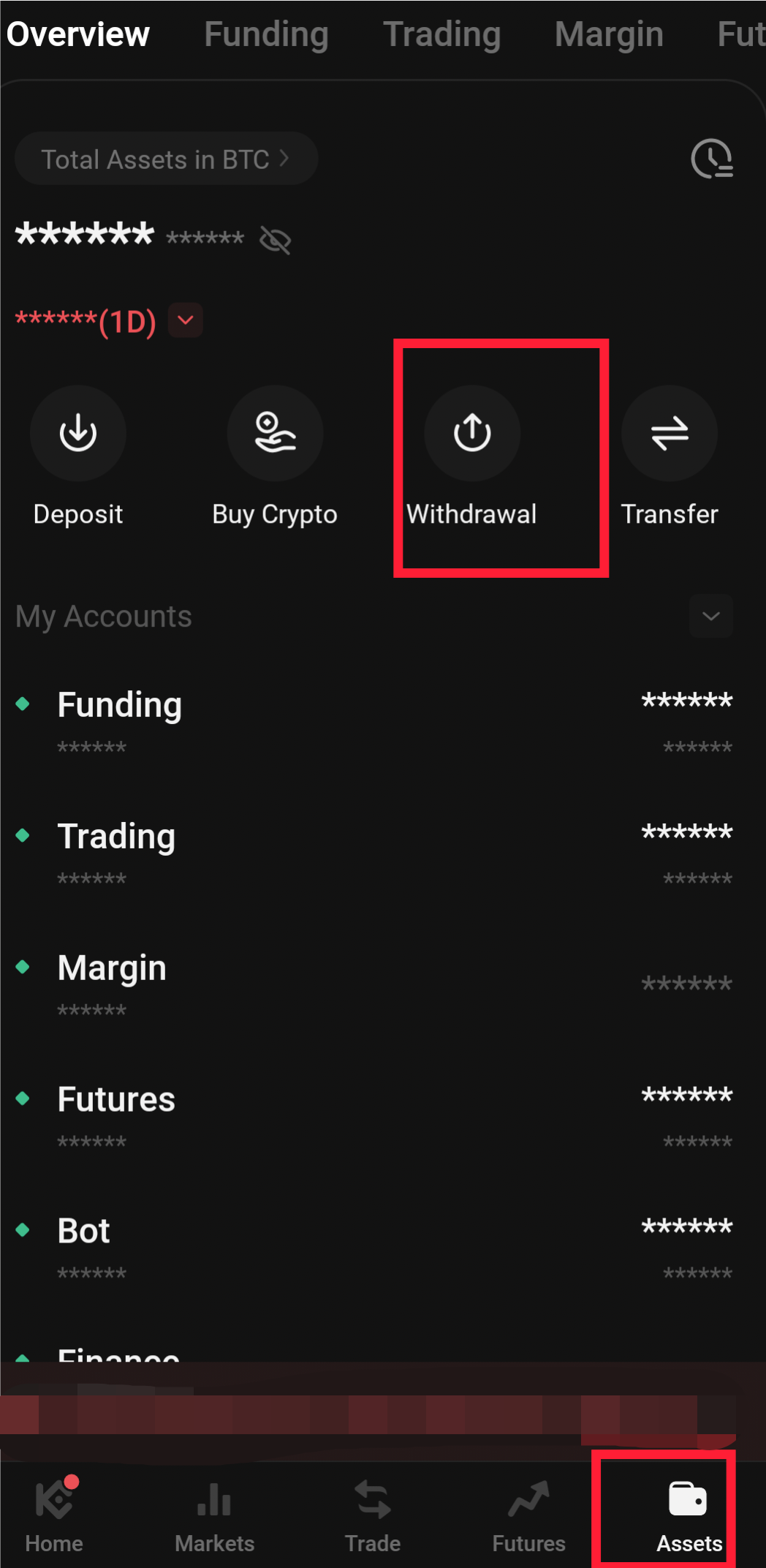
Log in to your KuCoin account, then tap Assets Withdraw to enter the withdrawal page.
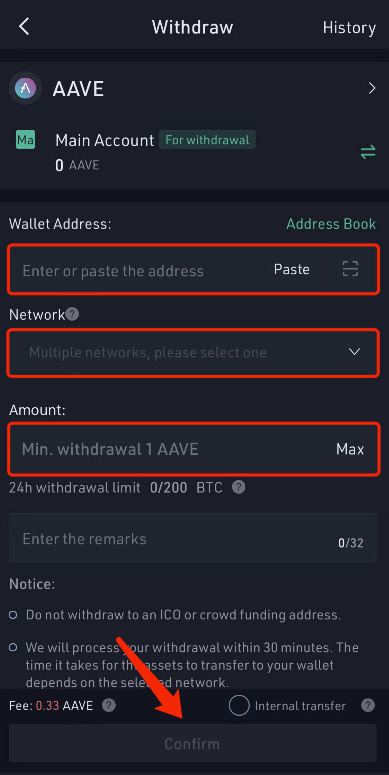
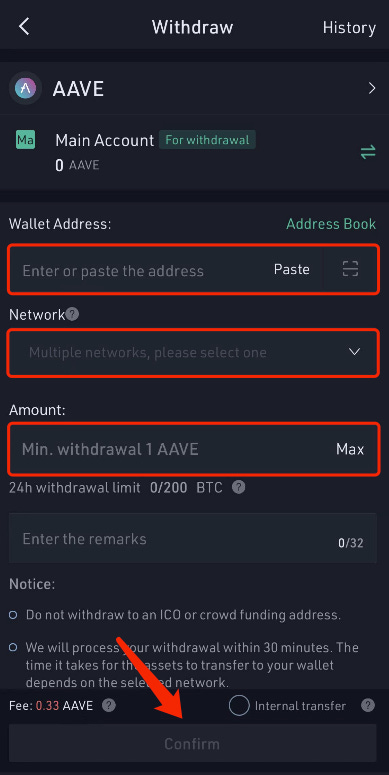
Select a coin, fill in the wallet address, and choose the corresponding network. Input the amount, then tap Confirm to proceed.
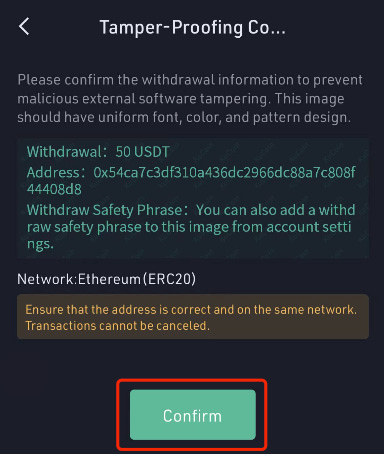
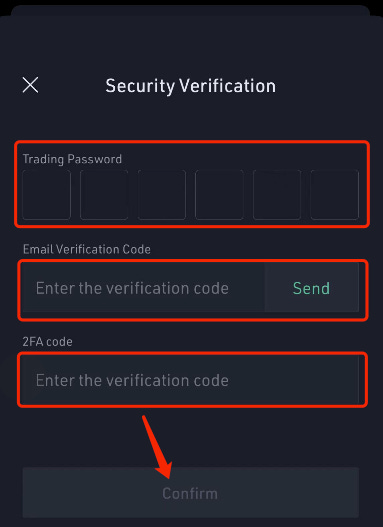
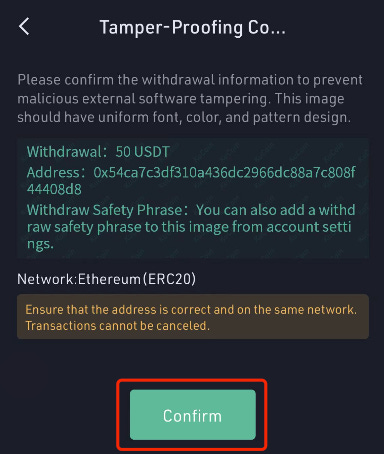
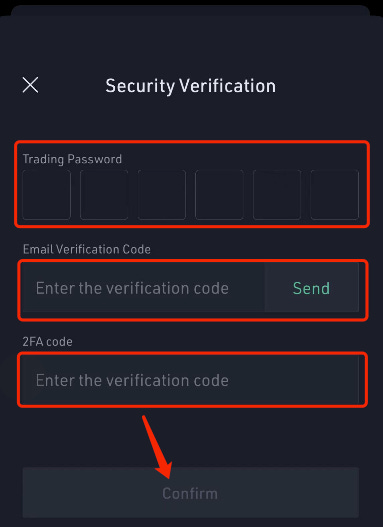
Confirm your withdrawal information on the next page, then fill in your trading password, verification code, and Google 2FA to submit the withdrawal request.
Stake your $TON on Tonkeeper
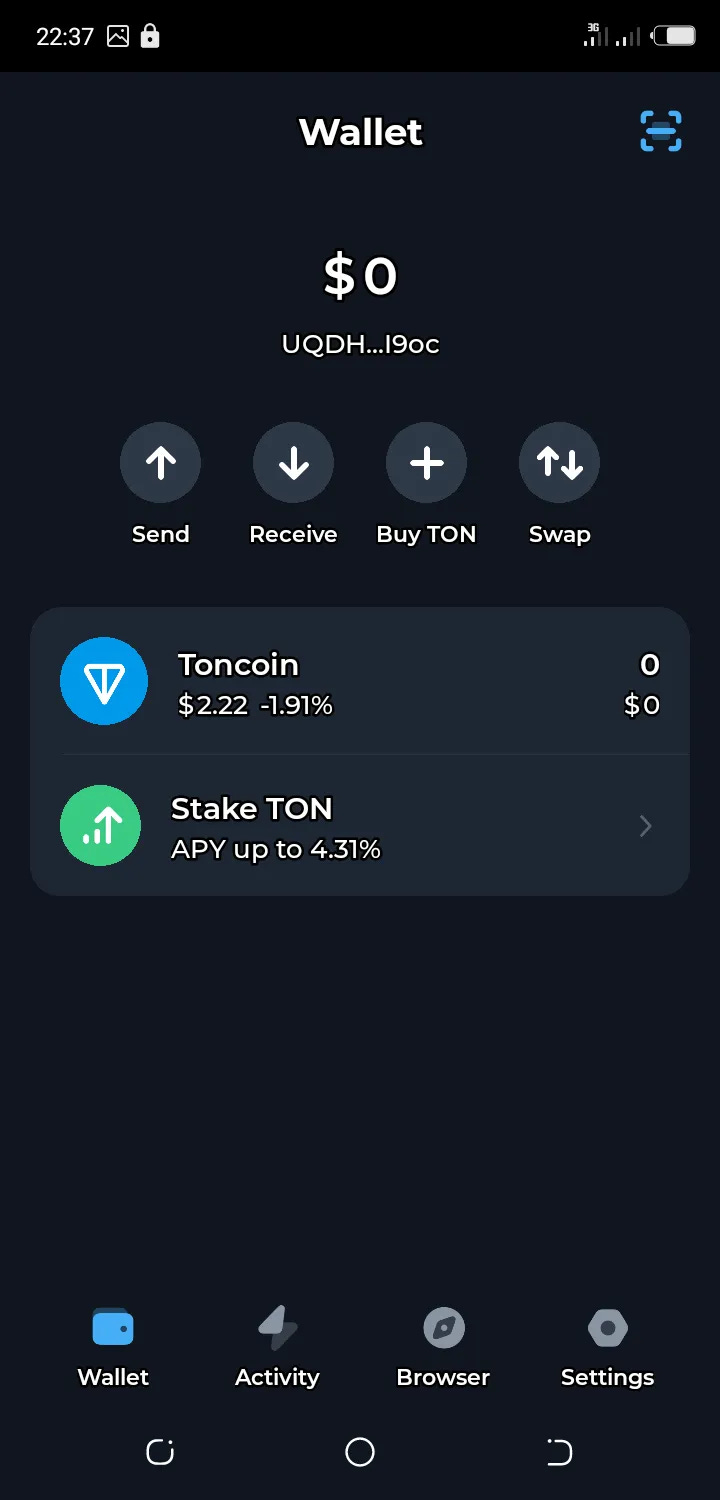
Click on the “Stake Ton” option seen above and wait for the next interface to display.
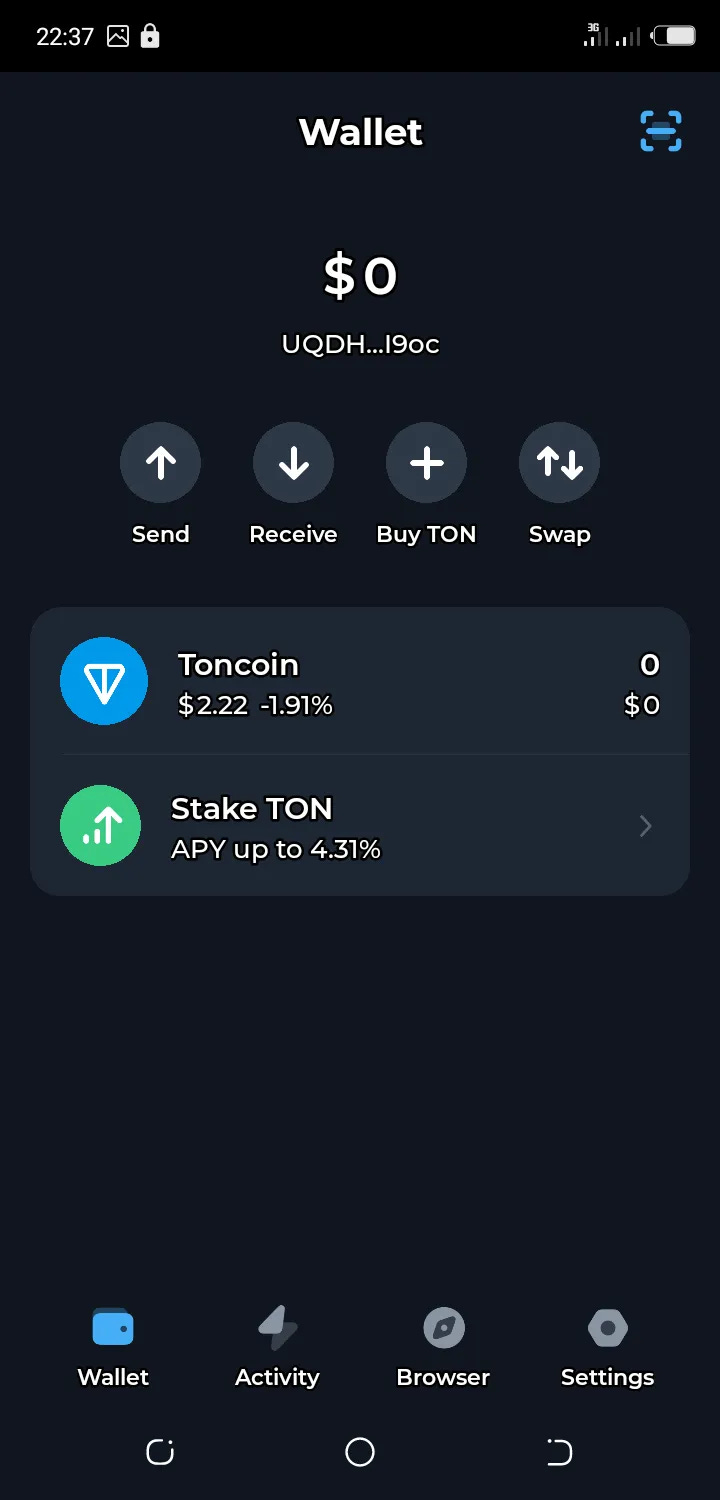
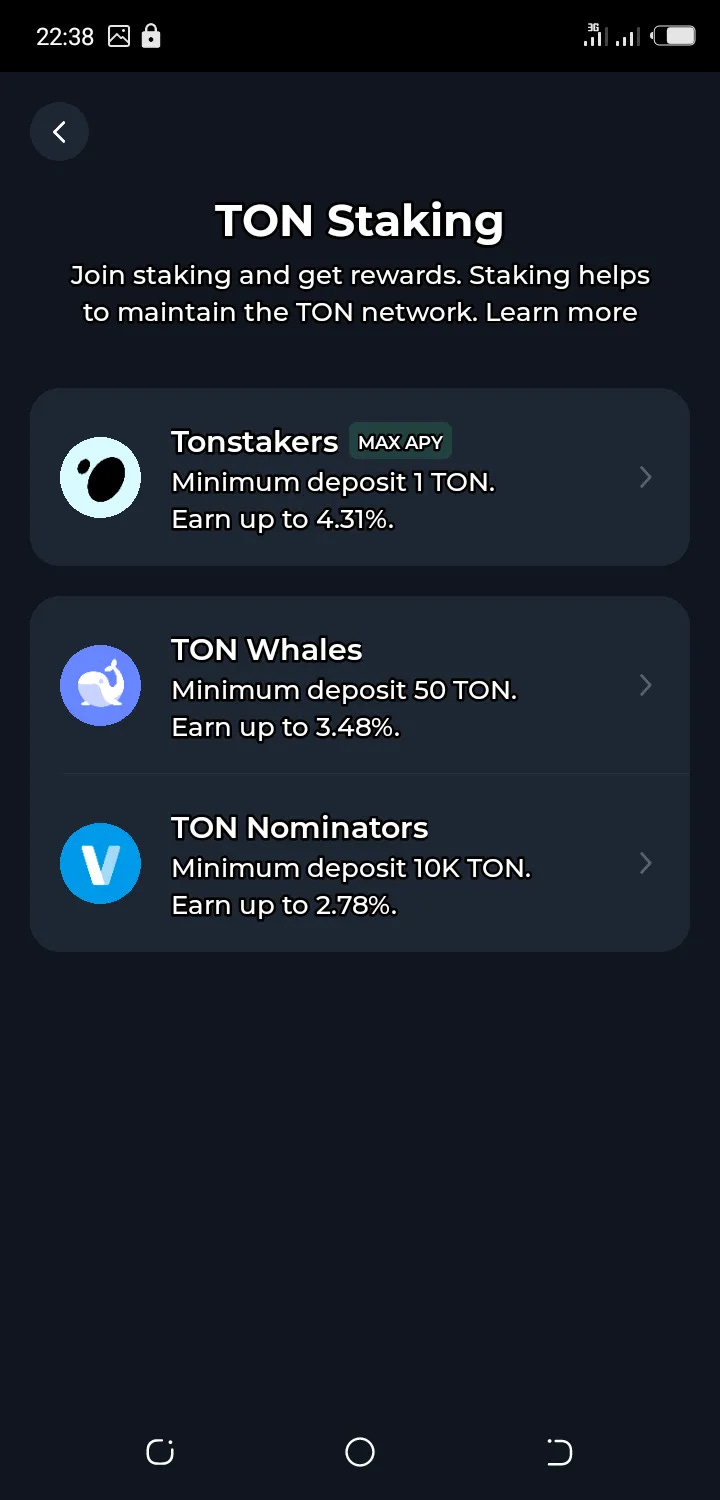
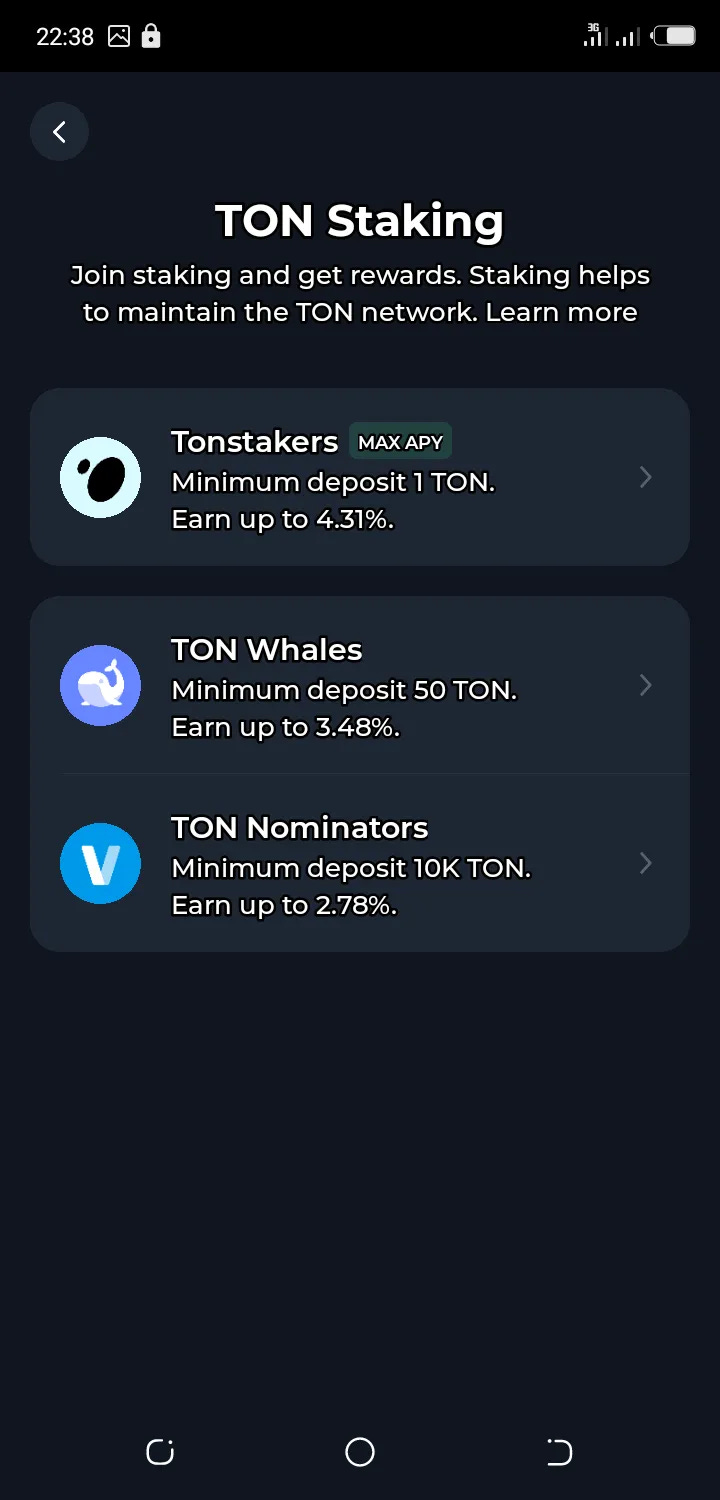
You’ll pick any validator of your choice with a good APY and select.
Note: the amount of Ton you have determines the validator you can select.
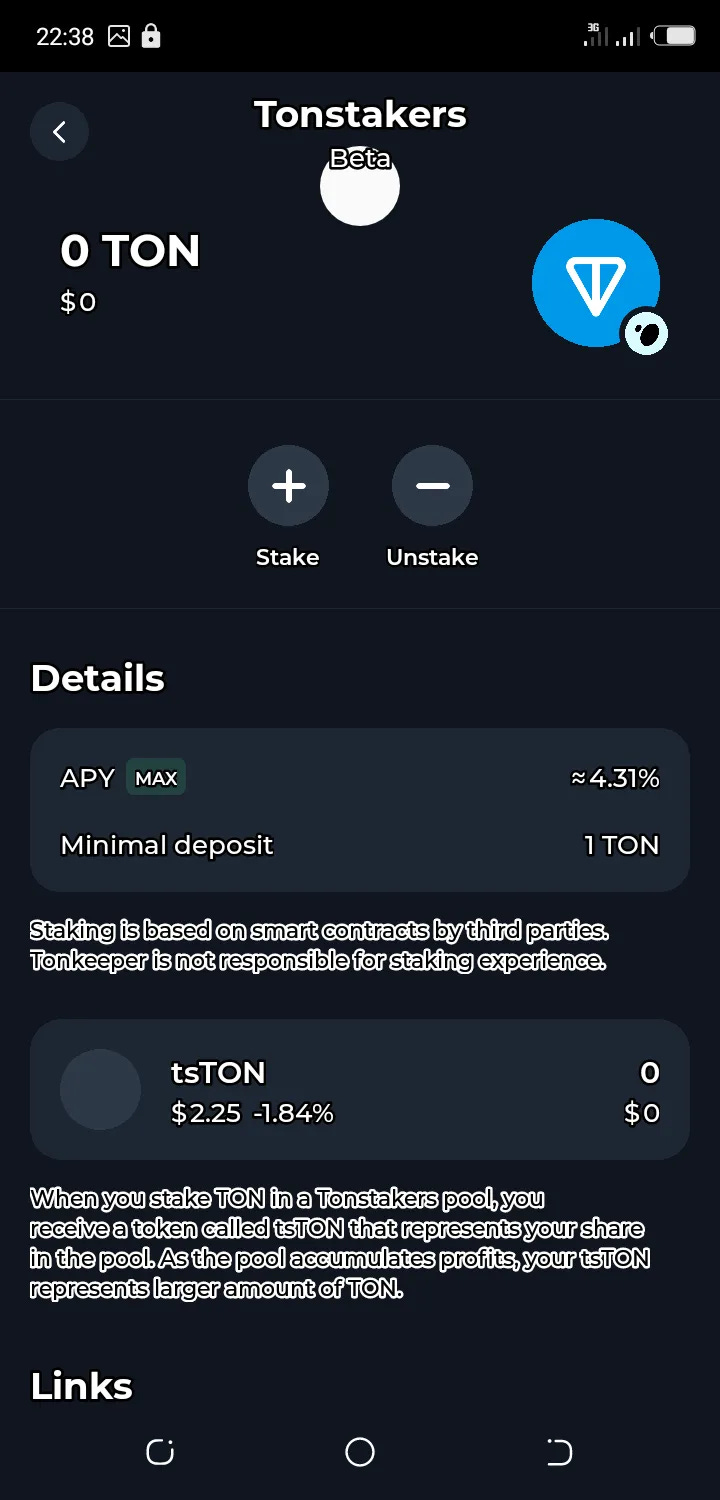
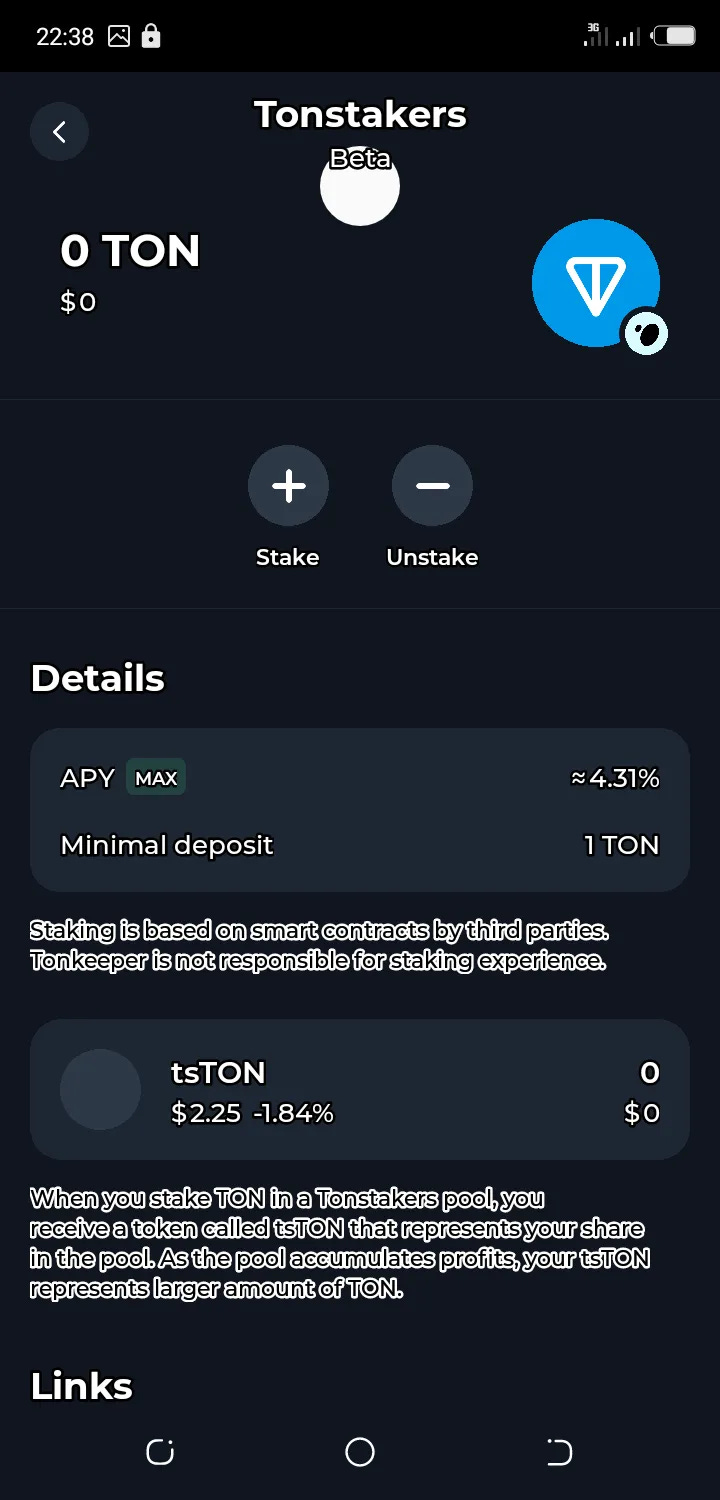
Click on the "+" sign to stake and the "-" sign to unstake. Once you’ve clicked the plus sign "+", you'll have the option to input the amount of $TON you want to stake, and your asset will be staked and locked for a period.
With these easy steps, your $TON is staked with your favorite validator.
Staking Pool beginners FAQ
How much time does the full Staking Cycle last?
One full Staking Cycle lasts 36 hours.
…
Follow ne social media handle below
Twitter: https://twitter.com/iamcryptotrek